
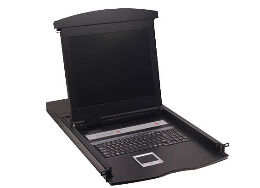
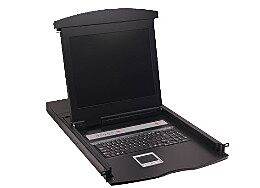
8 Port 17" LCD Screen KVM Switch Console (Cables Included) | CX-1708
Integrated 17-inch LCD display with keyboard and touchpad
Compact 1U rackmount slideaway console design
Control up to 8 servers from a single console
Space-saving design ideal for server racks and datacenters
Convenient switching via front panel buttons, hotkeys, or on-screen display
Integrated keyboard and touchpad for centralized server management
Clear LCD display for server monitoring and maintenance
Designed for enterprise server cabinets and IT infrastructure racks
Supports common server hardware using VGA and USB interfaces
KVM cables included for quick installation
Important Notes (Customers Must Know Before Purchase)
This device supports VGA video connections. Servers using HDMI or DisplayPort may require adapters.
The unit provides local rack console access only and does not support remote IP-based KVM access.
The console is designed for installation in a standard 19-inch server rack and requires adequate rack depth.
Ensure the correct cable type is used for connecting servers to the KVM ports.
Server Compatibility
The CX-1708 rackmount LCD KVM console is compatible with most enterprise rack servers and network appliances that support VGA video output and USB keyboard/mouse connections.
Common compatible systems include:
• Dell PowerEdge rack servers
• HPE ProLiant rack servers
• Lenovo ThinkSystem rack servers
• Supermicro rackmount servers
• Custom-built rack servers
• Storage appliances and network devices with VGA console ports
How Servers Connect
Each server connects to the KVM switch using a single KVM cable which carries:
• Video (VGA)
• Keyboard
• Mouse
Example setup:
Server → KVM Cable → CX-1708 KVM Console
This allows administrators to manage multiple servers from a single rack console without needing separate monitors or keyboards.
Typical Deployment
Typical rack setup:
1 × CX-1708 LCD KVM Console
Up to 8 rack servers connected directly
This allows quick switching between servers using the front panel buttons, keyboard hotkeys, or the on-screen display (OSD).