The store will not work correctly when cookies are disabled.
JavaScript seems to be disabled in your browser. For the best experience on our site, be sure to turn on Javascript in your browser.
Aruba 6100 48G Network Switch - High-Speed, 4SFP+, JL676A | JL676A Low Stock 2 left
Only 2 left
R 42,092.00
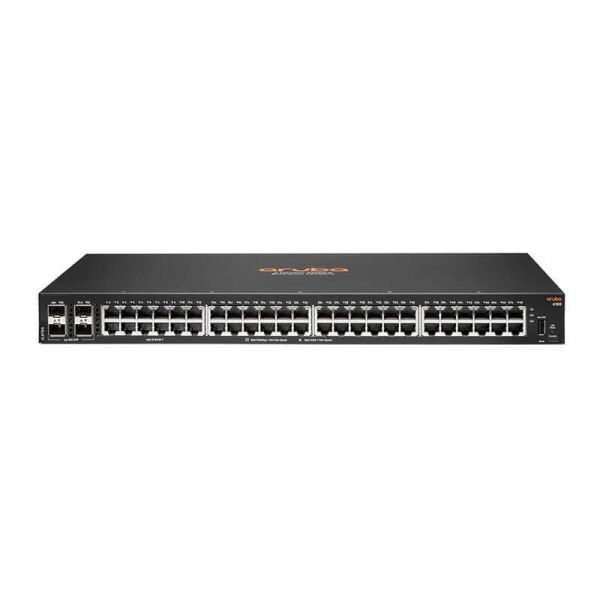
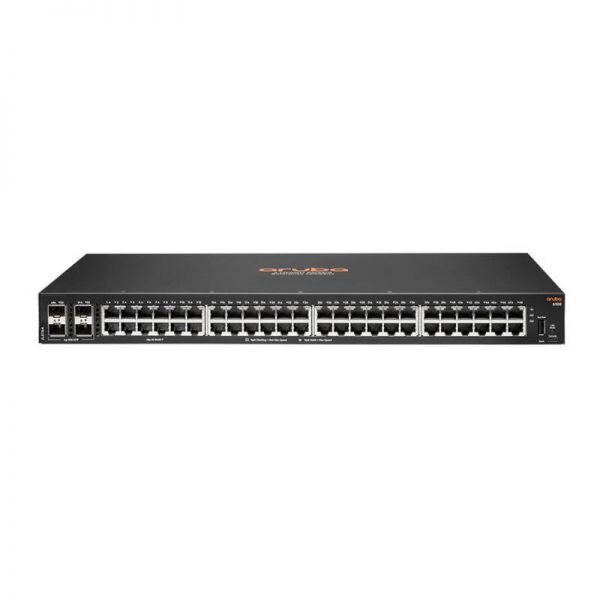
Quick Overview Elevate your enterprise network with the power-packed Aruba 6100 48G 4SFP+ Switch, JL676A. Featuring 48x10/100/1000BASE-T ports and 4x1G/10G SFP+ for enhanced connectivity, it offers a 176Gbps switching capacity and 98.6Mpps throughput. Boasting advanced features like a dual-core ARM Cortex A9 CPU, 4GB DDR3 memory, and precise environmental adaptability, this managed switch is ideal for EIA-standard telco racks. Priced at ZAR 38,355.65, experience seamless performance and robust support with Aruba.
The HP Aruba 6100 48G Switch (JL676A) is a fully managed Layer 3 switch with 48 Gigabit ports and 4 × 10G SFP+ uplinks without PoE, providing high-density enterprise-grade switching for SMB and campus deployments.
48 × Gigabit Ethernet ports 4 × 10G SFP+ uplink ports No PoE — fixed power supply Layer 3 routing — Aruba AOS-S operating system Advanced QoS, VLAN, ACL and security features 1U rack-mountable 48x ports 10/100/1000BASE-T Ports 4x 1G/10G SFP ports 1x USB-C Console Port 1x USB Type-A Host port Power supplies Fixed power supply (65W) Fans Fixed fans Physical characteristics Dimensions (H) 4.39 cm (W) 44.2 cm (D) 24.74 cm (1.73" x 17.4" x 9.74") Configuration Weight 3.42 kg (7.54 lbs) Additional Specifications CPU Dual Core ARM Cortex A9 @ 1016 Mhz Memory and Flash 4 GB DDR3 16 GB eMMC Packet Buffer 12.38MB (4.5MB Ingress/7.875MB Egress) Performance Model Switching Capacity 176 Gbps Model Throughput Capacity 98.6 Mpps Average Latency (LIFO-64- bytes packets) 1 Gbps: 1.9 μ Sec , 10 Gbps: 1.8 μ Sec Switched Virtual 16 Interfaces (dual stack) IPv4 Host Table (ARP) 1,024 IPv6 Host Table (ND) 512 IPv4 Unicast Routes 512 IPv6 Unicast Routes 512 MAC Table Capacity 8,192 IGMP Groups 512 MLD Groups 512 IPv4/IPv6/MAC ACL 256 / 128 / 256 Entries (ingress) Environment Operating Temperature 32°F to 113°F (0°C to 45°C) up to 5000 ft (1.5 km) derate -1°C for every 1000 ft (305 m) from 5000 ft (1.5 km) to 10000 ft (3.0 km) Operating Relative Humidity 15% to 95% at 104°F (40°C) non-condensing Non-Operating -40°F to 158°F (-40°C to 70°C) up to 15000 ft (4.6 km) Non-Operating Storage Relative Humidity 15% to 90% @ 149°F (65°C) non-condensing Max Operating Altitude 10000 feet (3 km) Max Max Non-Operating 15000 feet (4.6 km) Max Altitude Acoustic Sound Power, LWAd = 3.6 Bel Sound Pressure, LpAm (Bystander)= 24.6 dB Primary Airflow Side-to-side Electrical Characteristics Frequency 50 / 60 Hz AC Voltage 100-127 VAC / 200-240 VAC Current 0.8 A / 0.5 A Power Consumption (230 VAC) Idle: 20.6W Max Power (w/o PoE): 44.2W Safety UL 60950-1; IEC 60950-1; EN 60950-1; CAN/ CSA-C22.2 No. 60950-1; EN 60825-1 UL 62368-1 Ed. 2; IEC 62368-1 Ed. 2; EN 62368-1:2014 Emissions VCCI-CISPR 32, Class A; CNS 13438; ICES-003 Issue 6 Class A; FCC CFR 47 Part 15, Class A; EN 55032: 2015 +AC:2016 / CISPR-32, Class A Lasers EN 60825-1:2007 / IEC 60825- 1:2007 Class 1 Class 1 Laser Products / Laser Klasse 1 (Applicable for accessories - Optical Transceivers only) Immunity Generic CISPR 24 / CISPR 35 EN EN 55024:2010 / EN 55035:2017 ESD IEC 61000-4-2 Radiated IEC 61000-4-3 EFT/Burst IEC 61000-4-4 Surge IEC 61000-4-5 Conducted IEC 61000-4-6 Power frequency IEC 61000-4-8 magnetic field Voltage dips and IEC 61000-4-11 interruptions Harmonics EN 61000-3-2, IEC 61000-3-2 Flicker EN 61000-3-3, IEC 61000-3-3 Mounting and Enclosure Mounts in an EIA-standard 19-inch telco rack or equipment cabinet (rack-mounting kit available); horizontal surface mounting; wall mounting
More Information SKU JL676A Estimated Shipping Weight 4.550000 Manufacturer Aruba Estimated Shipping Length 57 Estimated Shipping Width 36 Estimated Shipping Height 15 Form Factor Rackmount 1U Max Port Speed Gigabit (1Gbps) Switch Layer Layer 3 Management Type Fully Managed PoE Support No PoE SFP Slots 4 Number of Ports 48